

ComfyUI is the most powerful open-source interface for AI image and video generation. This guide shows three ways to install ComfyUI on your PC in 2026, how to configure it, and how to fix common problems.

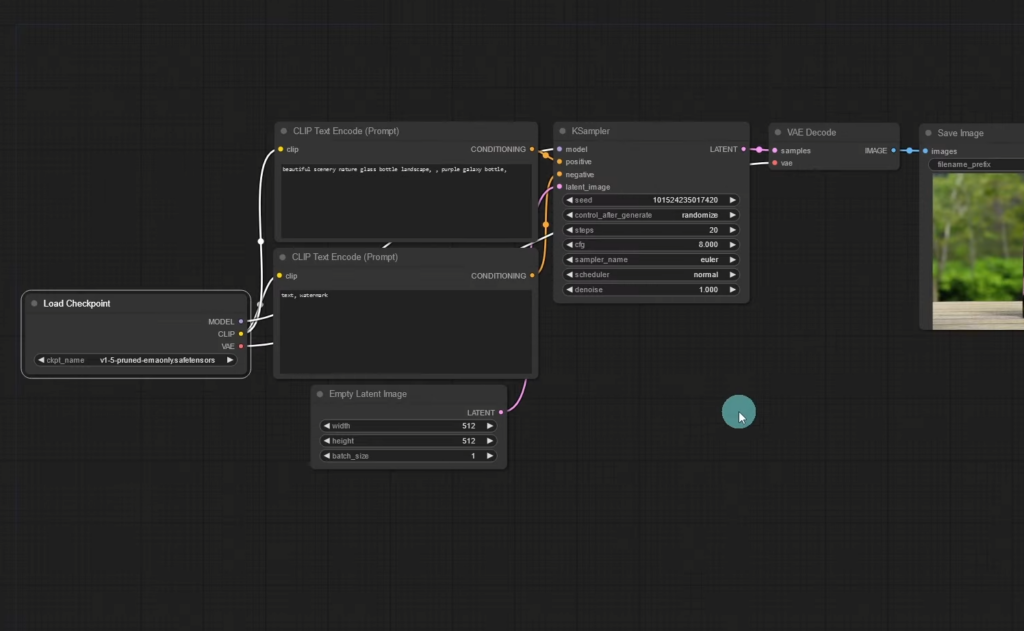
Table of Contents
System Requirements
| Minimum | Recommended | |
|---|---|---|
| GPU | NVIDIA 6–8 GB (or AMD / Apple Silicon) | NVIDIA RTX 16–24 GB |
| RAM | 16 GB | 32 GB+ |
| Disk | 20 GB SSD | 100 GB+ NVMe |
| Python (manual install) | 3.10+ | 3.12 |
Method 1: ComfyUI Desktop
- Download ComfyUI Desktop from comfy.org.
- Run the installer and select your GPU type.
- Choose an install folder with plenty of space for models.
- Launch it and load a template workflow.
Method 2: Windows Portable Build
- Download the portable 7z package for NVIDIA from the ComfyUI GitHub releases page.
- Extract it with 7-Zip.
- Put model files in
ComfyUI\models\checkpoints. - Run
run_nvidia_gpu.batand open http://127.0.0.1:8188.
Method 3: Manual Install (Windows, Linux, macOS)
git clone https://github.com/comfyanonymous/ComfyUI
cd ComfyUI
python -m venv venv
venv\Scripts\activate          # Windows  (source venv/bin/activate on Linux/macOS)
pip install torch torchvision torchaudio --index-url https://download.pytorch.org/whl/cu128
pip install -r requirements.txt
python main.py
Configure ComfyUI
- Install ComfyUI-Manager to add custom nodes and missing models from the UI.
- Use
--lowvramon 6–8 GB cards. - Share model folders with other UIs using
extra_model_paths.yaml.
Troubleshooting
- “Torch not compiled with CUDA enabled”: reinstall PyTorch with the CUDA index URL above.
- Out of memory: use FP8 or GGUF-quantized models, lower the resolution, or add
--lowvram. - Missing nodes: open ComfyUI-Manager → Install Missing Custom Nodes.
Run ComfyUI on a Cloud GPU
No powerful GPU at home? You can run ComfyUI on a rented GPU server instead. RunPod’s ComfyUI template starts an RTX 4090 for $0.34/hour. For a fixed monthly price, GPU Mart (RTX A4000 VPS from $119/month, RTX 4090 $409/month) and HOSTKEY (RTX 4090 from €279/month) offer dedicated servers you can keep running 24/7.
Compare providers in our ComfyUI hosting guide.
FAQ
Yes, ComfyUI is free and open source.
Yes: AMD via ROCm (Linux) or DirectML, and Apple Silicon via Metal (MPS).
8–13 GB for FLUX.2 [klein]; 24 GB or more for FLUX.2 [dev].
Conclusion
ComfyUI Desktop is the quickest way to start, the portable build suits Windows power users, and the manual install gives full control. If your PC is not powerful enough, host ComfyUI on a cloud GPU.